Turn your script and media into a polished video
Write your narration, pick your media, and choose a voice. Qten AI syncs everything into a video with styled captions — ready to publish in under 60 seconds.
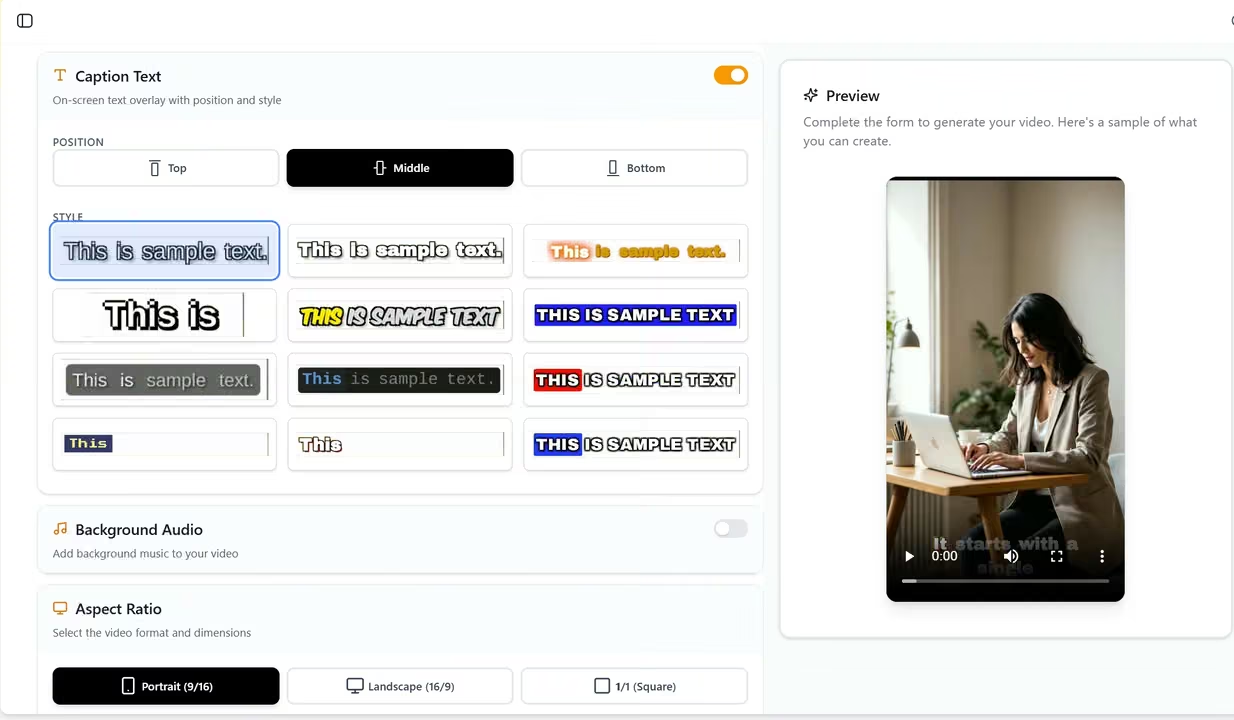
Your script, your media, Qten handles the rest
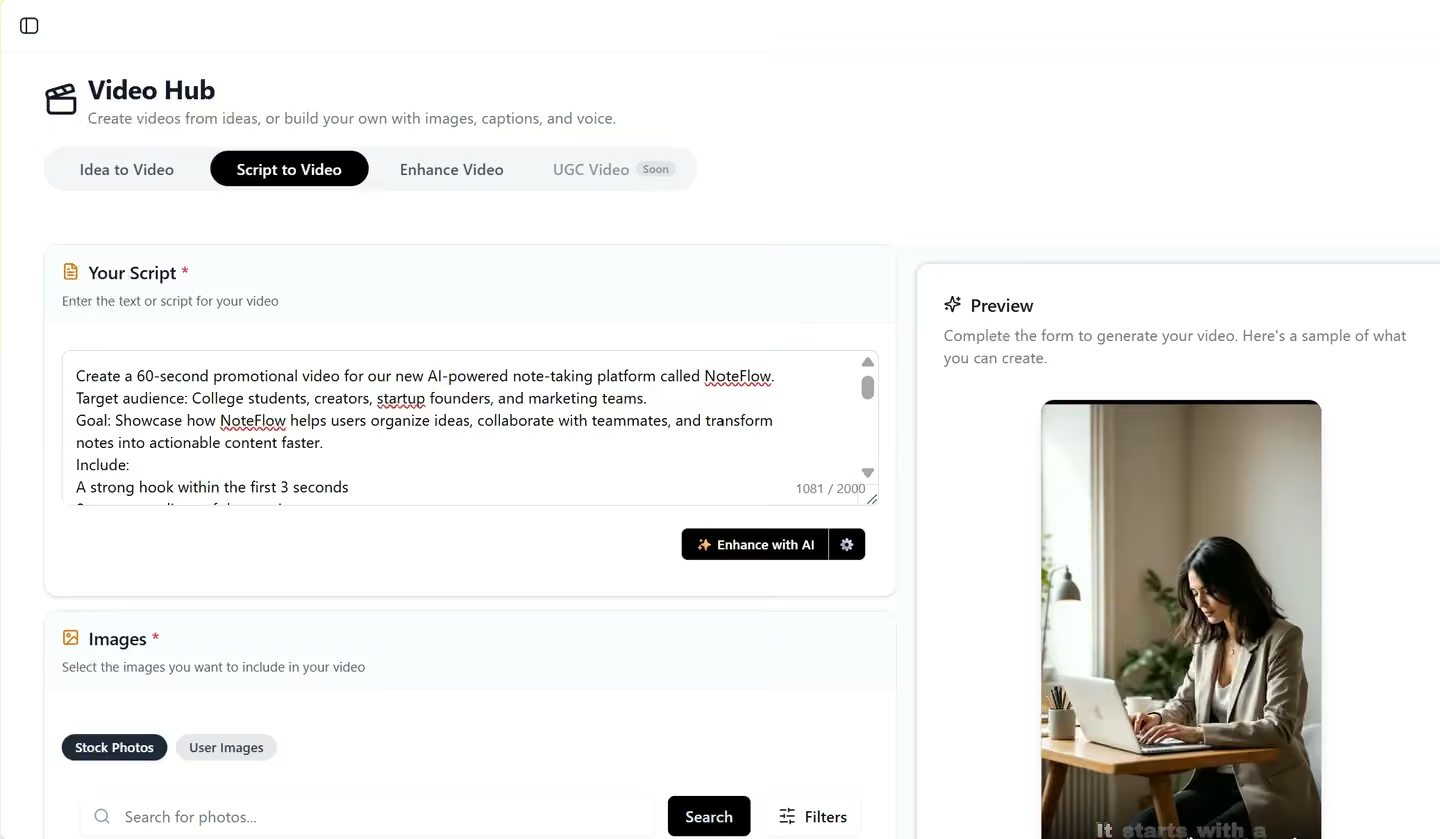
Write your narration script
Type the text you want spoken over your media. This becomes both the AI voice narration and the on-screen captions — automatically timed to each scene. No markup or special formatting needed.
- Plain text drives both narration audio and captions
- Captions sync automatically to the spoken audio
- No timing adjustments required
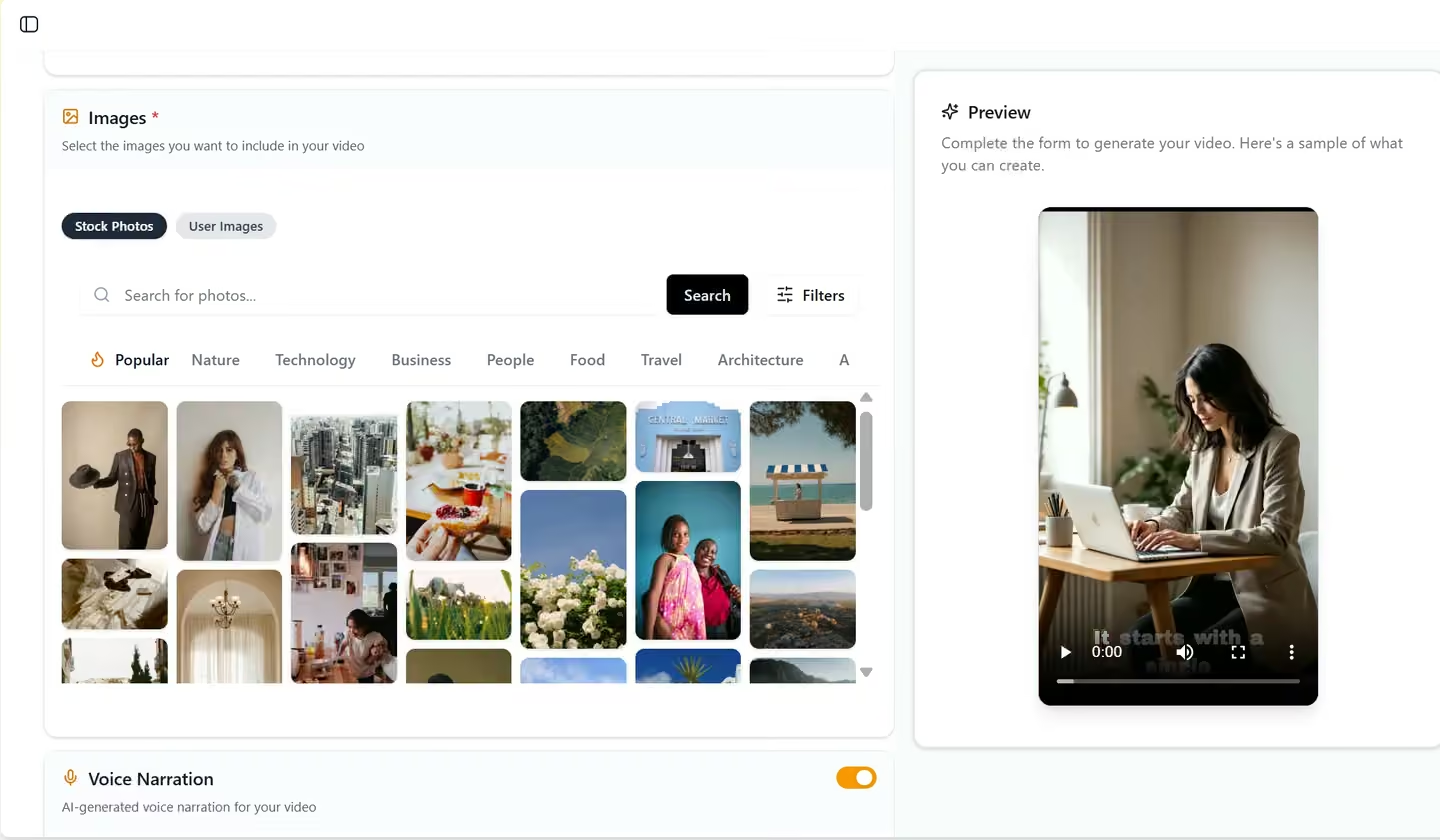
Select your media
Pick photos or videos from your Media Library as the visual foundation of your video. Each media item becomes a scene, displayed in the order you choose while the narration plays over it.
- Select from your uploaded or AI-generated media
- Order scenes however you like
- Images and videos both supported
Choose voice, style and background music
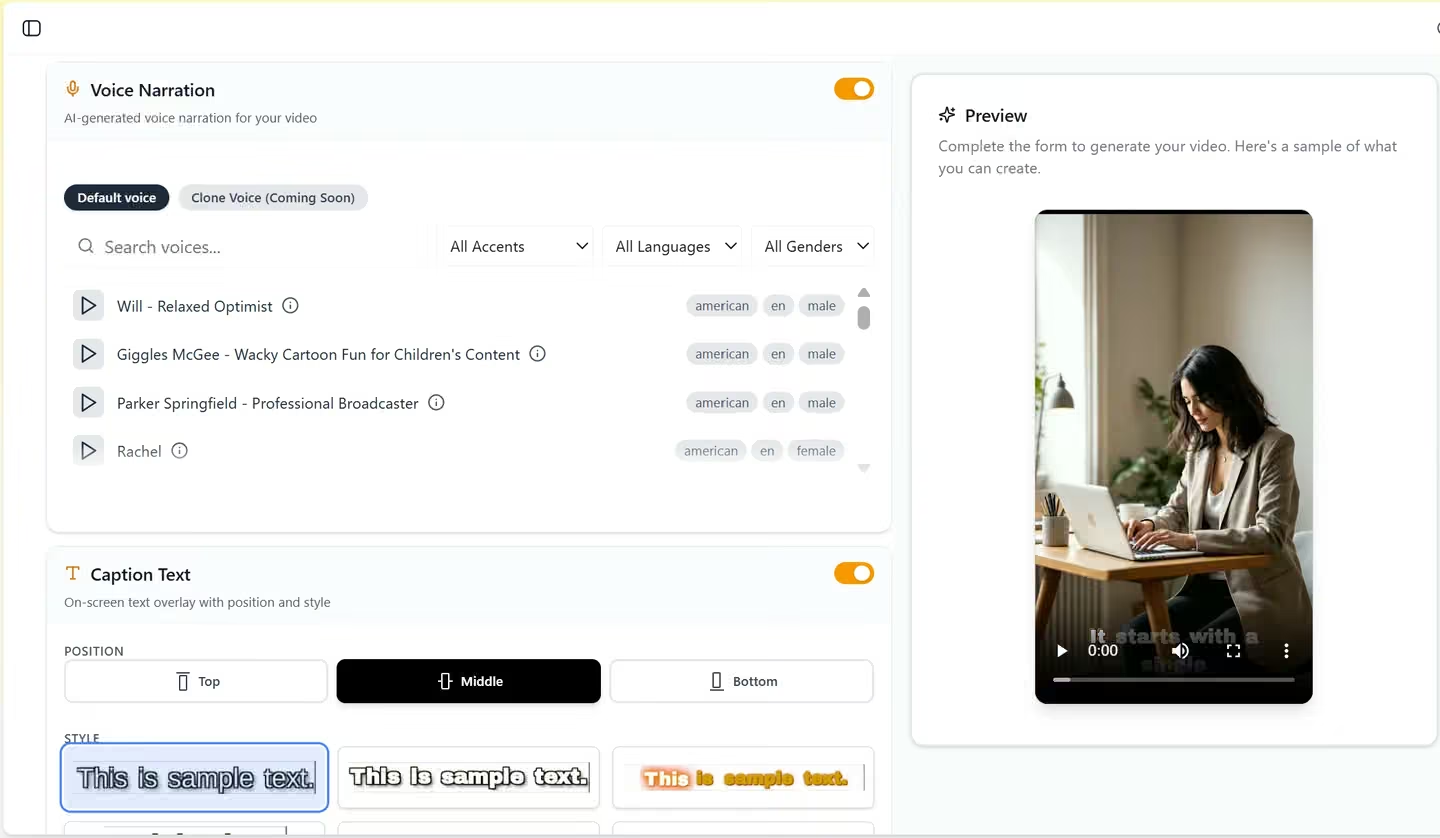
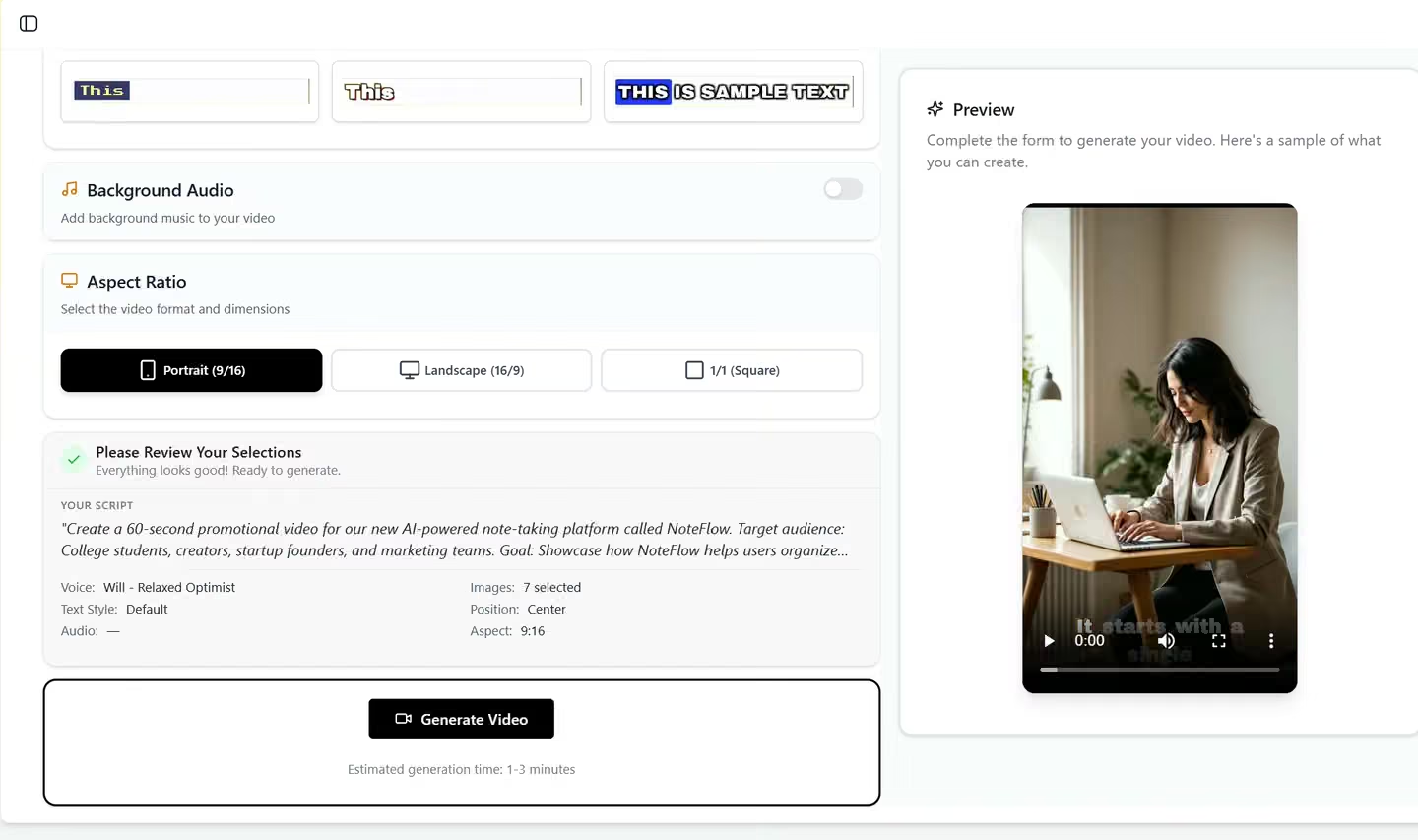
Pick an AI voice, a caption style, text position, aspect ratio, and an optional background music track. Every setting can be changed before you generate — no re-uploading needed.
- Multiple AI voices with natural pronunciation
- Caption style and text position options
- Optional background music tracks
- Aspect ratios: 16:9, 9:16, 1:1, and 4:3
Download or publish directly
Once your video is generated, export it or publish straight to YouTube, TikTok, X, Facebook, and Instagram from one place. No format conversion, no manual uploading to each platform.
- Export in MP4 format
- One-click publish to all connected platforms
- Schedule for optimal posting time
Built for every type of creator
Whether you create, teach, or sell — Script to Video fits into your existing content workflow.
Content Creators
Pair your photos, clips, or AI-generated visuals with a narration script to produce social-ready videos in minutes. No filming, no editing software — just your media and the story you want to tell.
Educators
Combine visual assets — diagrams, illustrations, photos, or short clips — with a custom narration to create video lessons students actually watch, without rebuilding your materials from scratch.
Marketers
Use the product media and campaign visuals you already have. Write a promotional script, pick a voice, and publish a polished video ad across all your channels in a single click.
See Qten AI in Action
Example videos generated with Qten AI
Scroll to see more →
Explore More Features
Discover other powerful tools in the Qten AI platform
Idea to Video
Describe your idea and AI transforms it into a polished, video-ready script — then generates the full video with narration, captions, and background music.
Learn moreAI Prompts Library
Browse hundreds of ready-to-use prompts. Generate and edit stunning images using FLUX, Nano Banana and other leading AI models. Spark your next viral creation.
Learn moreStudio
Browse hundreds of professionally designed templates, customize them with your own content and branding, then export or publish directly to your social platforms.
Learn more